
Building or buying new? Let’s make sure the builder’s contract works for you — not just for them.
Schedule a New Construction Consultation- The wiring and network runs behind the drywall are the one thing you cannot cheaply redo — plan those during the build, not after.
- Start with security and energy management. Those two systems return comfort and lower utility bills from day one.
- Pick devices that talk to one platform — Amazon Alexa, Google Home, or Apple HomeKit — so you run the whole house from one app.
- Choose gear with over-the-air updates and modular parts, so the house you build in 2026 still works in 2036.
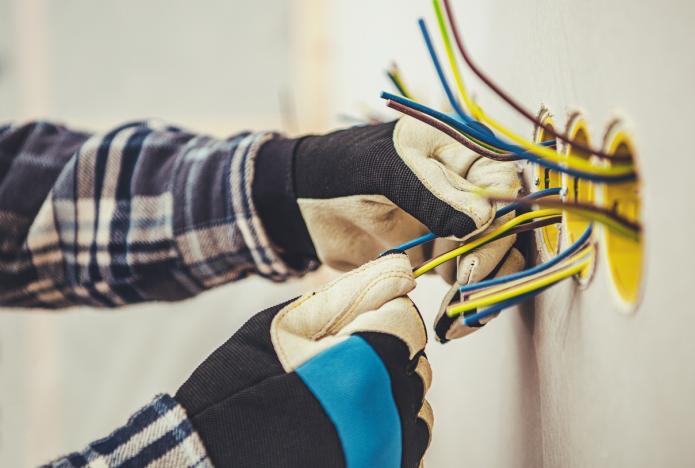
Smart technology in a custom home lives or dies on one decision: what you build into the walls while they're still open. A smart thermostat you can add in an afternoon. A clean network backbone, conduit, and low-voltage runs to every room? That's a construction question, and once the drywall goes up, changing your mind gets expensive.
In my 17+ years across the Raleigh-Durham Triangle, I've watched buyers pour money into gadgets and skip the infrastructure that makes those gadgets work together. So let me walk you through what each system does, what belongs in the build, and what you can bolt on later.
What smart home technology actually covers
The term stretches from a voice-controlled assistant like Amazon Alexa or Google Home to smart appliances, lighting, climate, and full security systems. The Internet of Things (IoT) is the thread that ties them together — a network of connected devices that share data and act on it. With 5G networks, those devices move data faster and automate more reliably.
Why it earns its place
Three payoffs carry the weight. Security: facial recognition, motion sensors, and remote monitoring, plus smart doorbells with video cameras that show who's at your door when you're not home, and smart locks that grant a visitor access from your phone. Energy: a smart thermostat learns your temperature habits and trims the waste off your utility bill, smart lighting shuts off when you leave a room, and smart blinds move with the sun. Convenience: voice control over lighting, temperature, and entertainment; a smart refrigerator that tracks your grocery list; robot vacuums and mops that keep the floors clean on their own.
The gadgets get the attention. The wiring behind the walls decides whether they ever work as one house.
The systems, and when to plan each one
Here's how the core systems break down — what each does, and the note to raise with your builder while the framing is still exposed.
| System | What it does | Plan-during-build note |
|---|---|---|
| Security | Facial recognition, motion sensors, biometric entry, remote monitoring, video doorbells, smart locks | Run low-voltage cabling and power to door, camera, and sensor locations; place a doorbell drop at the entry. |
| Climate | Smart thermostat that learns your preferences and cuts energy waste | Set thermostat wiring and sensor points as the HVAC goes in. |
| Lighting | Automated lights that turn off when a room empties | Specify smart switches and neutral wiring at rough-in. |
| Shades | Smart blinds that adjust to sunlight | Add power at window headers before trim and drywall. |
| Energy generation | Solar panels and energy storage to cut your carbon footprint and bill | Reserve roof orientation, conduit runs, and panel space at design. |
| Connectivity (IoT) | Devices sharing data over one network, faster on 5G | Hard-wire network drops and place access points so coverage reaches every room. |
| Voice and gesture | Voice control via Alexa or Google Home; gesture and facial recognition on hubs like the Nest Hub Max | Position hub locations with power and network nearby. |
| Health and AI | Smartwatches tracking heart rate, sleep, and activity; smart mirrors with skincare analysis; AI that adapts the home over time | Add power and data where a smart mirror or health hub will live. |
Start with a smart foundation
A successful smart home starts with the people, not the products. Bring technology experts in early. Your architect, builder, and interior designer should sit down with a smart home specialist so the infrastructure supports the technology you want — before a single wall closes.
Then choose devices around your actual life. Think through your daily routines and where automation removes friction. If your mornings run tight, a smart coffee maker that starts brewing the moment you wake up changes the whole hour.
Build one ecosystem, not five islands
The hard part of smart technology is getting everything to work together. That's what a unified ecosystem solves. Pick devices compatible with a single platform — Amazon Alexa, Google Home, or Apple HomeKit — and you control the whole house from one interface instead of juggling apps and remotes. From there you automate tasks and build custom routines that run themselves.
Future-proof what you install
Technology keeps moving, so buy for the decade ahead. Choose devices with over-the-air software updates and modular designs that swap out as new hardware arrives. Wire the house generously now; upgrade the boxes on the wall later.
Wire during the build
- Network drops and access points to every room
- Low-voltage runs and power for cameras, sensors, and smart locks
- Video doorbell drop at the entry
- Smart-switch and neutral wiring for lighting
- Power at window headers for smart blinds
- Thermostat and HVAC sensor wiring
- Conduit and roof space reserved for solar and storage
Add later
- Voice assistants and smart hubs like the Nest Hub Max
- Smart thermostat unit and smart light fixtures
- Smart appliances and a smart refrigerator
- Robot vacuums and mops
- Smart mirrors and health-tracking wearables
- Additional AI-driven routines and personalization
Building or buying new? Let’s make sure the builder’s contract works for you — not just for them.
Schedule a New Construction ConsultationMy advice on sequencing the build
Integrating smart technology into a custom home changes the living experience and adds real value when you sell — a house that runs itself draws buyers. Prioritize systems that pay off now and leave room to grow. Here's the order I'd run it.
- Bring in a smart home specialist alongside your architect, builder, and designer at the design stage.
- Map your daily routines so the automation solves problems you actually have.
- Wire the infrastructure — network, low-voltage, power runs, solar conduit — while the walls are open.
- Install core systems first: security and energy management.
- Standardize on one platform — Alexa, Google Home, or HomeKit — so every device answers to one app.
- Layer in personalized options later: health monitoring, smart mirrors, and AI personalization.
- Confirm every device takes over-the-air updates and swaps out cleanly as technology moves on.
The goal isn't a house full of gadgets. It's a home that's intuitive — one that reflects and adapts to how you actually live. Work with experienced professionals, pick the right products, and you build a custom home that stays ahead of its time.
Frequently Asked Questions
Building or buying new? Let’s make sure the builder’s contract works for you — not just for them.
Schedule a New Construction Consultation